
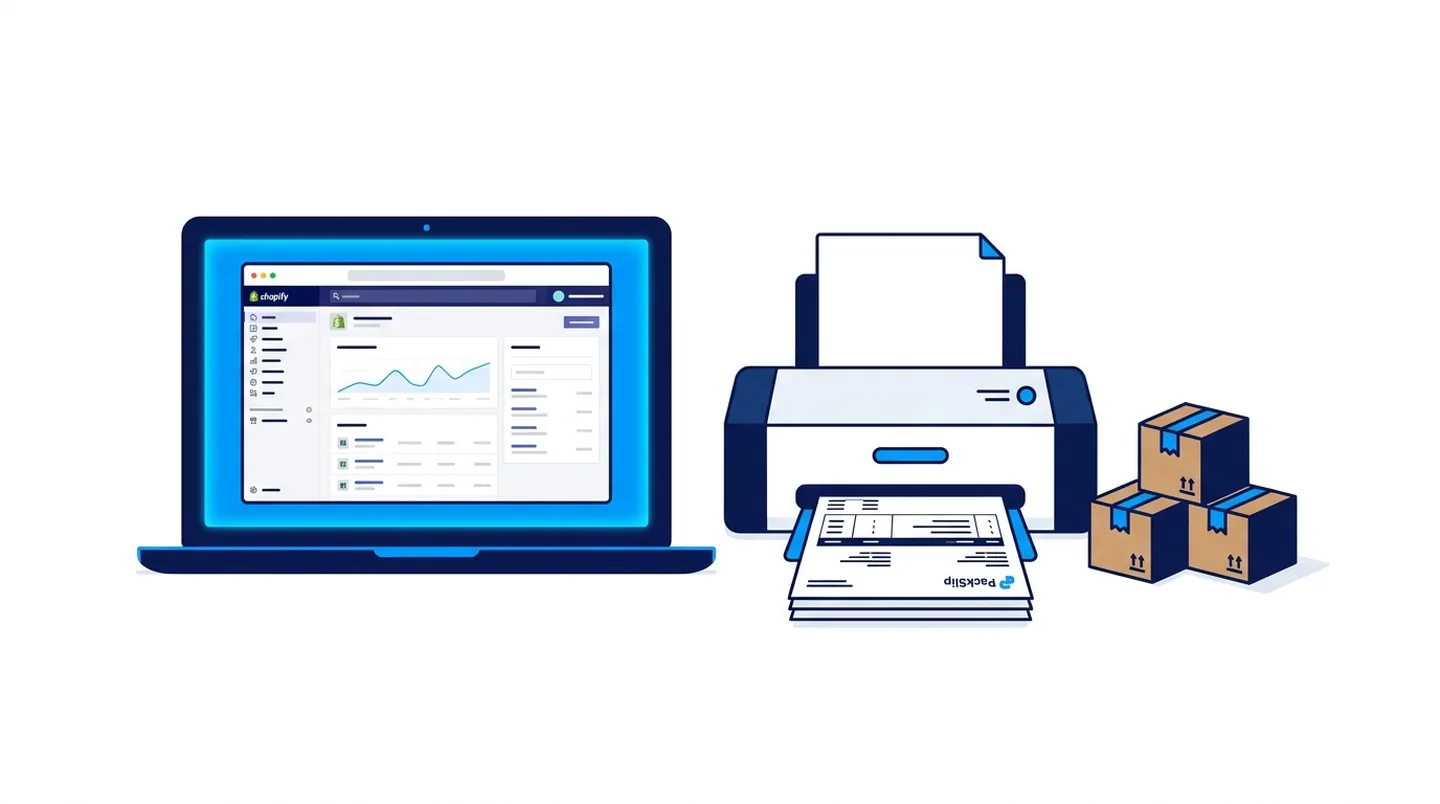
Blog post overview and metadata
Author, publish date, read time, and category
How to Print Packing Slips on Shopify — Free App + Complete Guide
Reviewed by: ARS Developer Team | Updated: 12 Jun 2026 | UK Focus: Buyer-intent SEO, web delivery, and measurable conversion growth.
Quick Summary
Shopify's default packing slip is plain and unbranded. This step-by-step guide shows how to print branded packing slips, bulk-fulfill orders and send automated WhatsApp alerts — all free with PackSlip, the 34-module Shopify app.
In This Guide
- Does Shopify Have a Built-In Packing Slip Feature?
- The Problem With Most Shopify Fulfillment Apps
- What Is PackSlip?
- How to Print Packing Slips on Shopify With PackSlip
- Bulk Fulfillment — Fulfill Hundreds of Orders in One Click
- Branded Order Tracking and WhatsApp Alerts
- What Does PackSlip Cost?
- Is PackSlip Safe and GDPR Compliant?
Why This Article Is Trustworthy
- Reviewed by the ARS Developer editorial team for UK business relevance.
- Structured around buyer-intent SEO, technical delivery, and measurable conversion outcomes.
- Connected to related service pages, pricing guidance, and supporting articles for stronger topic depth.
Shopify is excellent at taking orders — but when it comes to fulfillment, the default admin leaves a lot to be desired. There is no built-in packing slip designer, no bulk fulfillment tool and no branded order tracking page. Most Shopify merchants end up paying for three to five separate apps just to cover the basics.
This guide walks you through exactly how to print packing slips on Shopify, fulfill orders in bulk and send automated shipping notifications — without paying a penny.
Does Shopify Have a Built-In Packing Slip Feature?
Technically, yes. Shopify lets you print a basic order summary from the order detail page. But it is a plain, unbranded document with no logo, no custom fields and no ability to print multiple orders at once. For any serious fulfillment operation, it falls short immediately.
You need a dedicated Shopify packing slip app if you want your logo and brand colours on every slip, custom fields such as gift messages, handling notes, barcodes and SKUs, bulk printing across dozens or hundreds of orders at once, and multi-location, 3PL-ready CSV exports.
The Problem With Most Shopify Fulfillment Apps
Search the Shopify App Store for "packing slips" and you will find dozens of options — most charging $10 to $20 per month, per feature. If you also need bulk fulfillment, branded tracking and WhatsApp order alerts, you are easily spending $50 or more per month across multiple apps. This is exactly the gap PackSlip was built to close.
What Is PackSlip?
PackSlip is a free Shopify app that bundles 34 fulfillment and post-purchase modules into a single clean dashboard inside your Shopify admin. No extra logins, no separate subscriptions and no credit card required — ever.
- Packing Slips — Custom branded templates with your logo, colours and fonts. Print single orders or entire batches in one PDF.
- Bulk Fulfillment — Upload a CSV of tracking numbers and fulfill hundreds of orders in one click. Customers are notified automatically.
- Branded Order Tracking — A custom tracking page on your own store domain with a progress bar, event timeline and full brand styling.
- WhatsApp & Email Alerts — Automatic messages when orders are confirmed, dispatched and delivered.
- Order Exports — CSV and XLSX exports formatted for any 3PL or warehouse.
- Storefront Tools — Product reviews, abandoned cart recovery, email capture, back-in-stock alerts and trust badges.
All of the above — and 28 additional modules — are completely free.
How to Print Packing Slips on Shopify With PackSlip
Step 1: Install PackSlip Free
Visit packslip.arsdeveloper.co.uk and click Install Free on Shopify. No credit card is required at any stage.
Step 2: Open Your Dashboard
Once installed, PackSlip appears directly inside your Shopify admin. All 34 modules unlock immediately — no trial, no paywall and no feature gating.
Step 3: Set Up Your Packing Slip Template
Navigate to the Packing Slips module. Upload your logo, set your brand colour and select which order fields to display — product name, SKU, quantity, gift note, barcode and more. Your template is saved and applied to every future print job automatically.
Step 4: Print Single or Bulk Orders
To print a single order, open it from your Shopify admin and click the PackSlip action. To print in bulk, select multiple orders, open PackSlip's bulk print view and download a single combined PDF containing all slips — no page limits, no order caps.
Bulk Fulfillment — Fulfill Hundreds of Orders in One Click
- Export your pending orders list from Shopify as a CSV
- Add the corresponding tracking numbers from your courier
- Upload the completed CSV into PackSlip's bulk fulfillment module
- PackSlip marks every order as fulfilled in Shopify and triggers the shipping notification to each customer automatically
For dropshipping stores and print-on-demand businesses processing 50 to 500 orders per day, this single module alone is worth the install.
Branded Order Tracking and WhatsApp Alerts
The default Shopify notification sends customers to a generic courier website. PackSlip replaces that with a fully branded tracking page on your own domain — a visual progress bar, a live event timeline, your logo and a recommended-products section. On top of that, PackSlip sends automated WhatsApp and email messages when orders are confirmed, dispatched and delivered, dramatically reducing "where is my order?" support tickets.
What Does PackSlip Cost?
PackSlip is completely free. All 34 modules are available with no usage limits, no order caps and no premium tier. Here is how it compares against buying the same functionality separately:
| Feature | Typical App Cost | PackSlip |
|---|---|---|
| Packing slip printing | $10/mo | ✓ Free |
| Branded order tracking | $12/mo | ✓ Free |
| Bulk fulfillment tool | $15/mo | ✓ Free |
| WhatsApp / email alerts | $19/mo | ✓ Free |
| Total | $56/mo | $0 |
Is PackSlip Safe and GDPR Compliant?
PackSlip connects to Shopify via the official Shopify API only. It does not sell data or share data with third parties. It is built and maintained by ARS Developer Ltd, a UK-registered software company (Co. No. 17039150) based in Stoke-on-Trent, Staffordshire, and is fully GDPR ready.
Frequently Asked Questions
Does PackSlip work with my Shopify theme?
Yes. PackSlip runs inside your Shopify admin and does not touch your theme. Its storefront features install on any theme in one click without code changes.
Is there a limit on packing slips or orders?
No. There are no order limits, usage caps or tiered restrictions on any of the 34 modules.
Which Shopify plans does PackSlip support?
All Shopify plans — Basic, Shopify, Advanced and Shopify Plus.
Do I need to enter card details to install?
No. PackSlip is free to install and free to use indefinitely.
Can PackSlip handle bulk tracking number uploads from my courier?
Yes. Upload a CSV of order numbers and tracking numbers — PackSlip fulfills every order and notifies each customer in one action.
Ready to Simplify Your Shopify Fulfillment?
Install PackSlip Free on Shopify →
All 34 modules unlock immediately. No card, no trial period, no waiting.
Next Step Resources
Move from research into action with the most relevant service, proof, pricing, and project planning pages for this topic.

Tags:











































Leave a Comment
Ask a practical question, share a project insight, or add a useful note. Every comment is reviewed before it appears publicly.